View Upcoming and Past Payrolls
All upcoming and past payrolls can be viewed by going to Financials > Generate Payroll > Run Payroll.
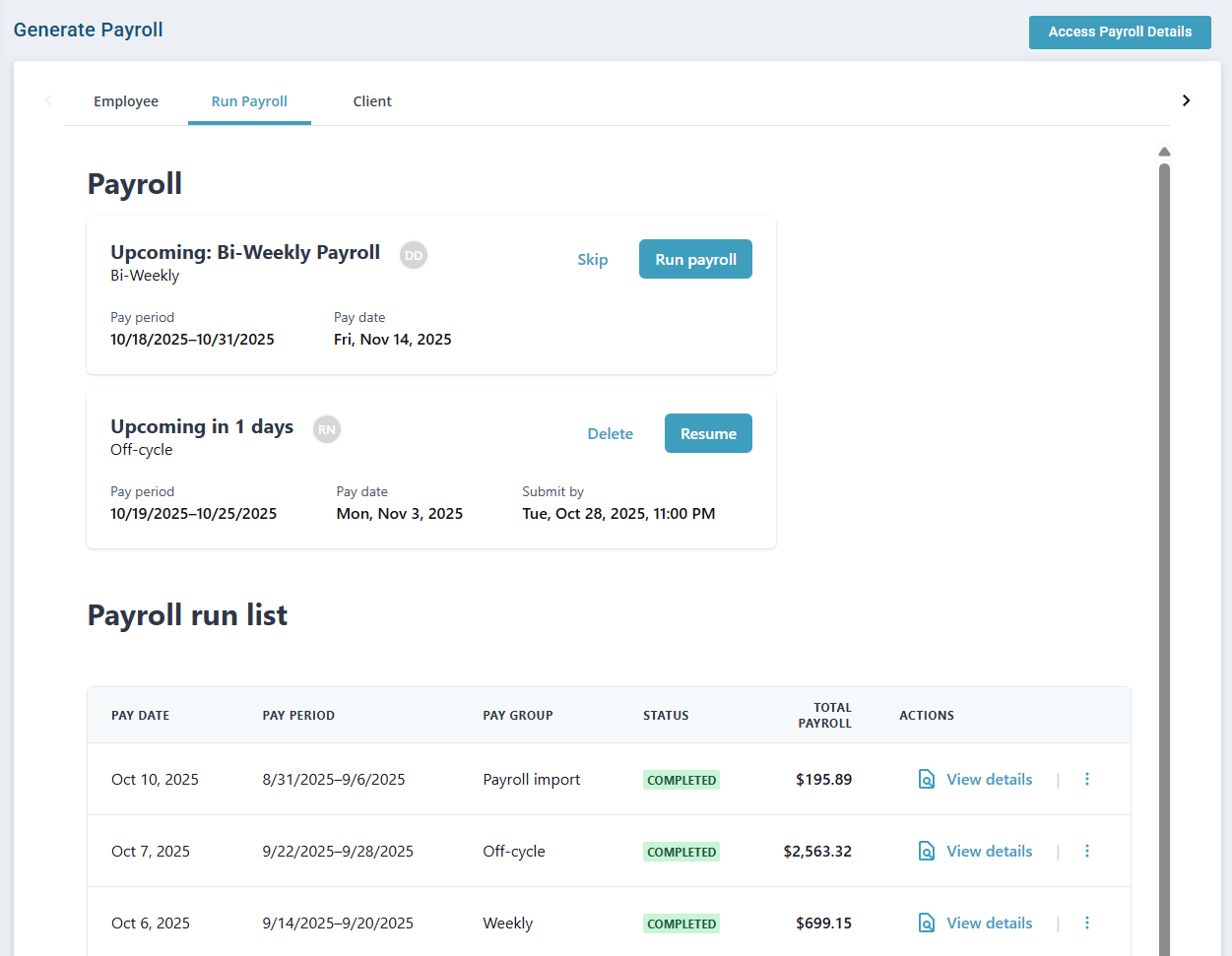
The following information is shown:
-
Upcoming Payrolls: At the top of the page, the following information is displayed per upcoming payroll run under the Payroll title —
-
The upcoming payroll Group Name
-
The upcoming payroll Pay Frequency
-
The upcoming payroll Pay Date
-
The upcoming payroll Pay Period
-
Run payroll and Skip buttons. If payroll has been previously started, Resume and Delete buttons appear instead.
-
-
Past Payrolls: Scroll down the page to find the Payroll run list. This sections shows all past payrolls runs with Pavillio Payroll.
To view the details of a specific payroll run, click View details under the Actions column.
