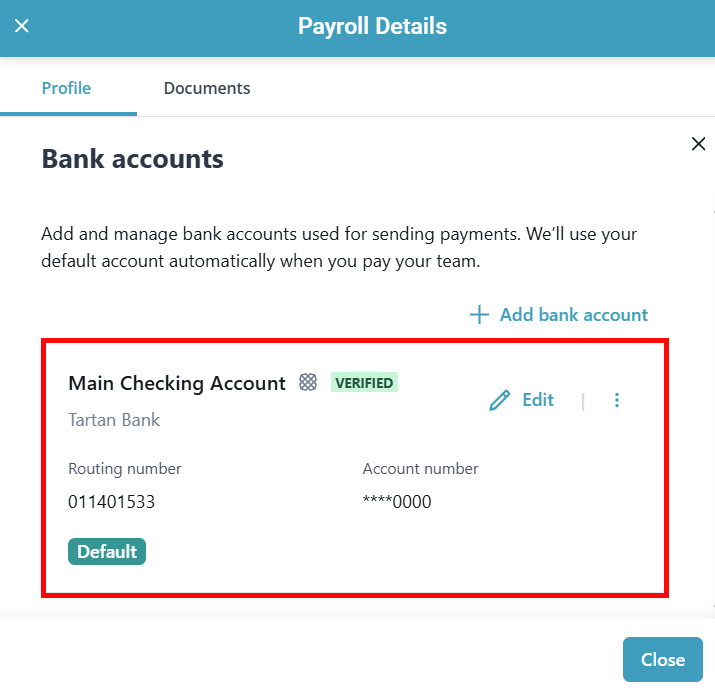
Add and Verify Your Bank Account with Plaid
Plaid is a service that allows you to securely verify and connect your company bank to your payroll account. You now have the ability to instantly verify your company bank account through a Plaid integration, removing the need to manually verify a bank through micro deposits.
Most large banks are supported through Plaid with the exception of Capital One. Smaller local banks or credit unions may also not be supported by Plaid. In these cases, verification happens via
To add and verify your company bank account using Plaid:
-
-
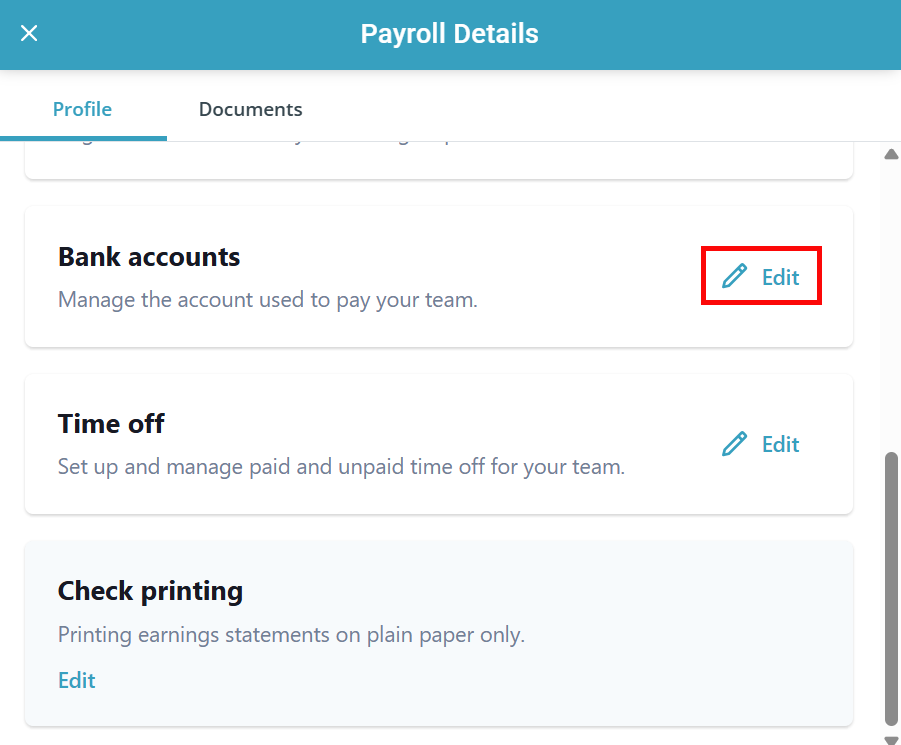
The Payroll Details panel opens. Scroll down to the Bank Accounts section and click the Edit link.
-
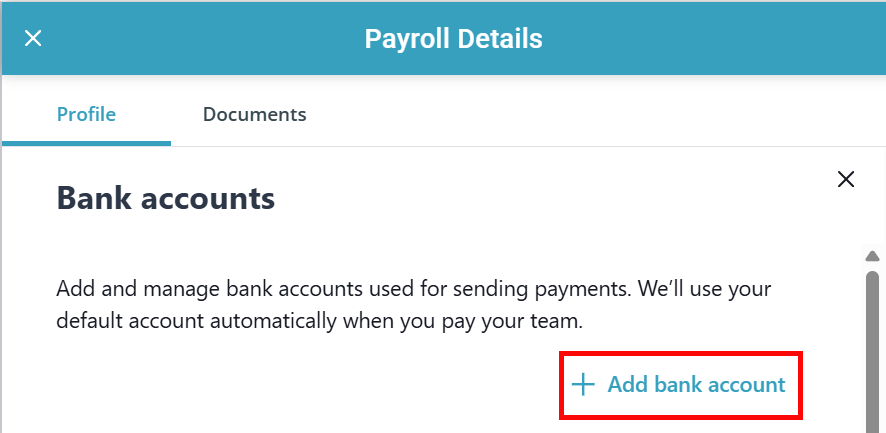
Click the + Add bank account link.
-
Click the Connect with Plaid button.

-
Enter the phone number associated with the bank account and click Continue.

-
Enter the verification code sent to your phone number.

-
Select the bank account you would like to use. Make sure you select the correct account, as this is where payroll funds will be pulled from. Click Confirm.

-
Change the Display Name if needed, and mark the checkbox to set this bank account as the default account. Click Next.

-
Fill out the Debit Authorization Form. This form authorizes the withdrawal of funds for the purposes of performing payroll services. Click Sign.
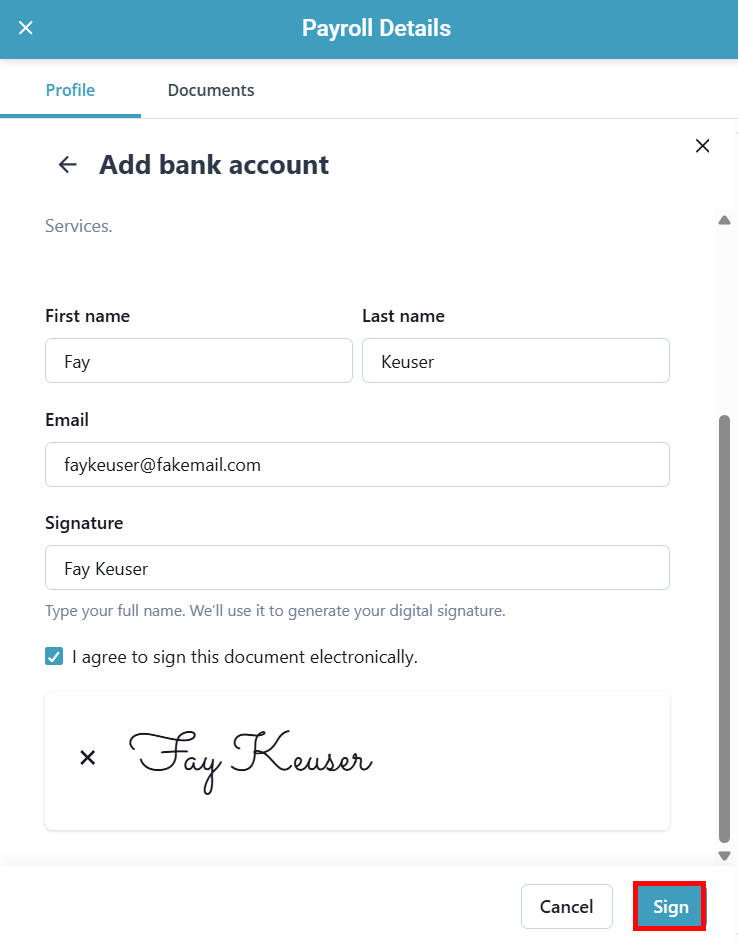
Your bank account is now connected.