Common Year-End Informational Tax Notices
Towards the end of the year, the IRS and state agencies will begin to send employers notices for the upcoming calendar year. All tax notices will be sent to employers directly.
Below is a list of common informational tax notices and how to handle them.

Most state unemployment tax agencies will mail a notice to notify employers about their tax rate for the upcoming calendar year. To schedule a future rate update, follow the steps below:
-
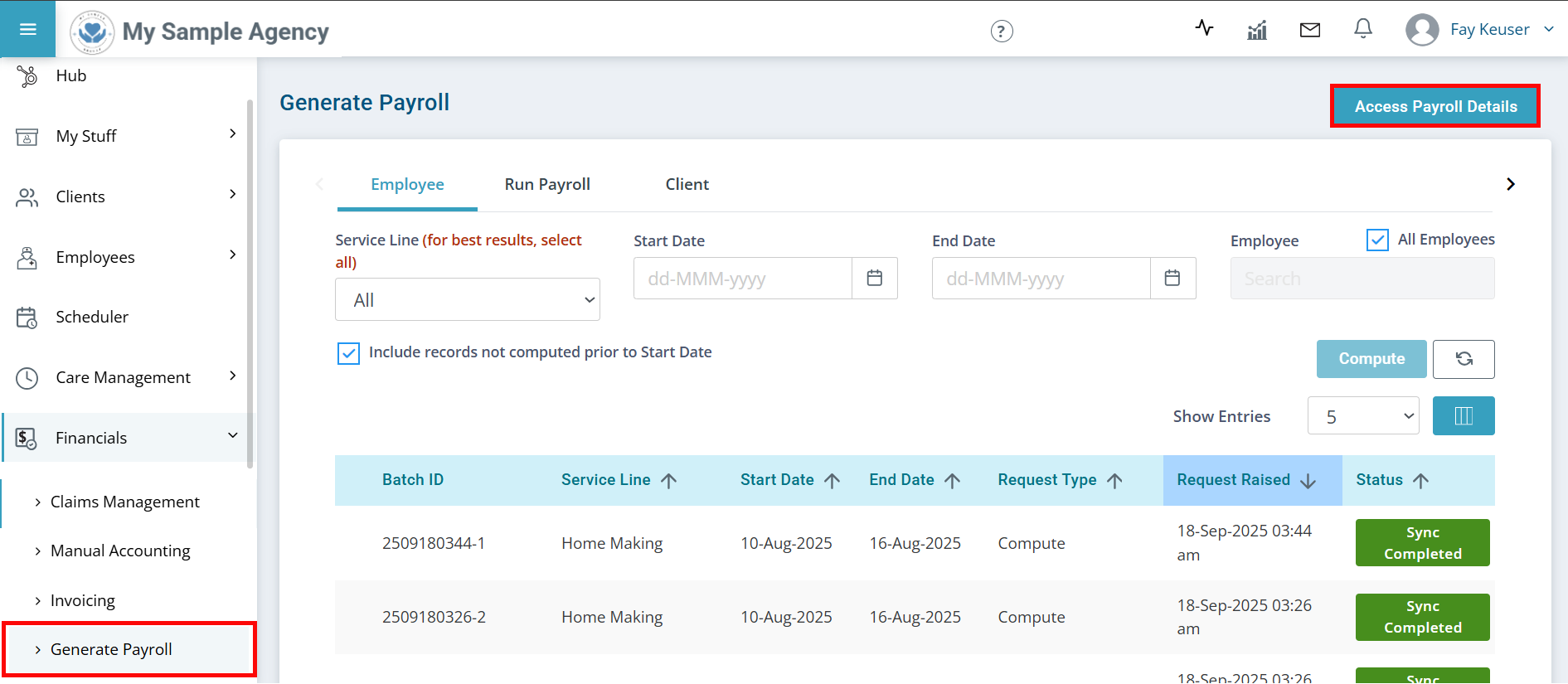
Go to Financials > Generate Payroll and click the Access Payroll Details button.
-
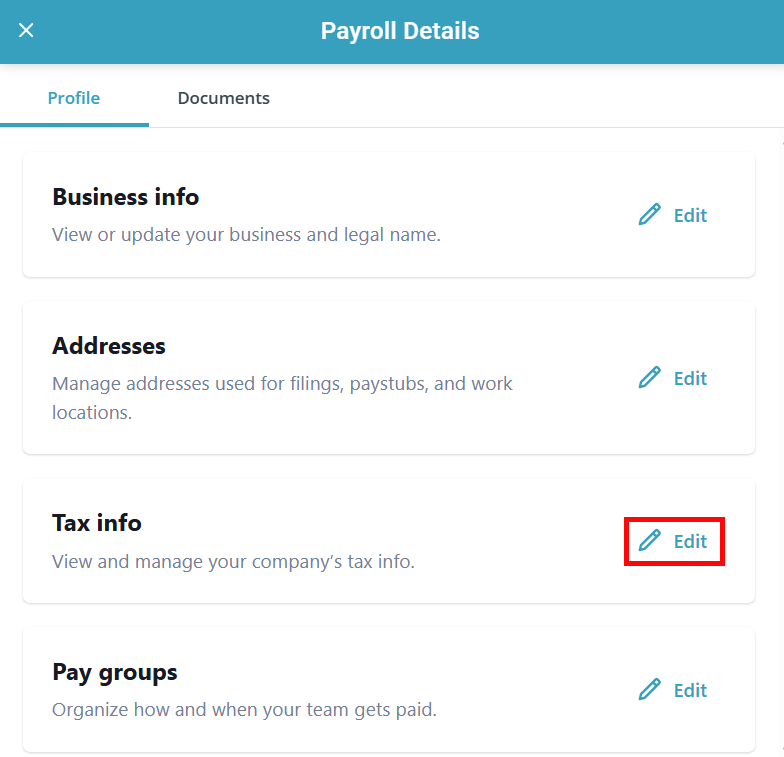
The Payroll Details panel opens. Find the Tax info section and click the Edit button.
-
Click Edit on the [State] tax info section.
![Click Edit on the [State] tax info section.](../../../Resources/Images/Financials/UW-Pav-Fin-EoY-Tax-Notices-02.png "Click Edit on the [State] tax info section.")
-
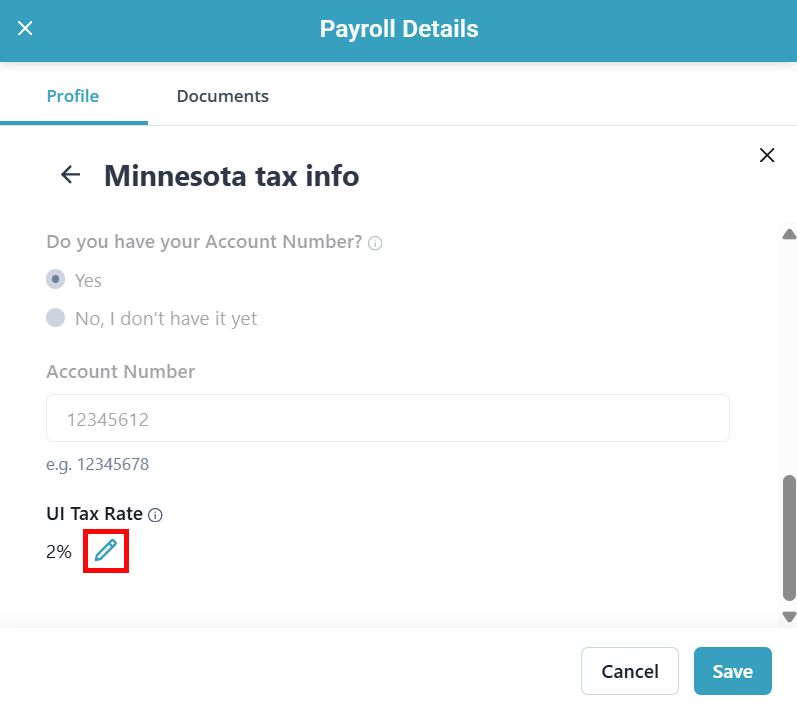
Scroll down and select the pencil icon.
-
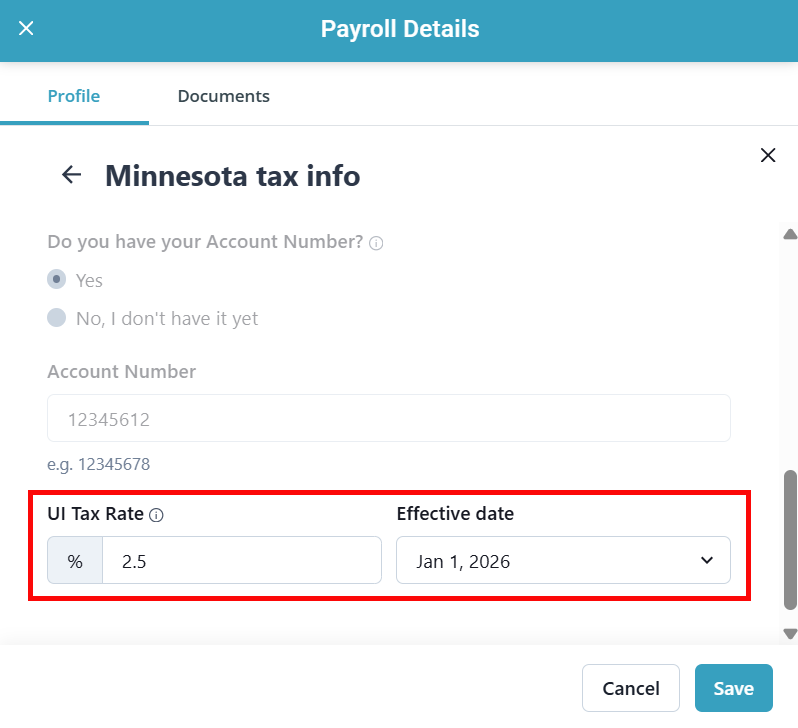
Enter the new UI Tax Rate and select the future Effective date (Typically January 1).
-
Click Save.
Employers are responsible for knowing their assigned rate and keeping their payroll account up to date to ensure accurate payments and filings.
The IRS and state withholding tax agencies will mail a notice to notify employers if their deposit schedule is changing in the upcoming calendar year. To schedule a future deposit schedule change follow the steps below:
-
Go to Financials > Generate Payroll and click the Access Payroll Details button.
-
The Payroll Details panel opens. Find the Tax info section and click the Edit button.
-
Click Edit on the Federal tax info or [State] tax info section.
![Click Edit on the [State] tax info section.](../../../Resources/Images/Financials/UW-Pav-Fin-EoY-Tax-Notices-05.png "Click Edit on the [State] tax info section.")
-
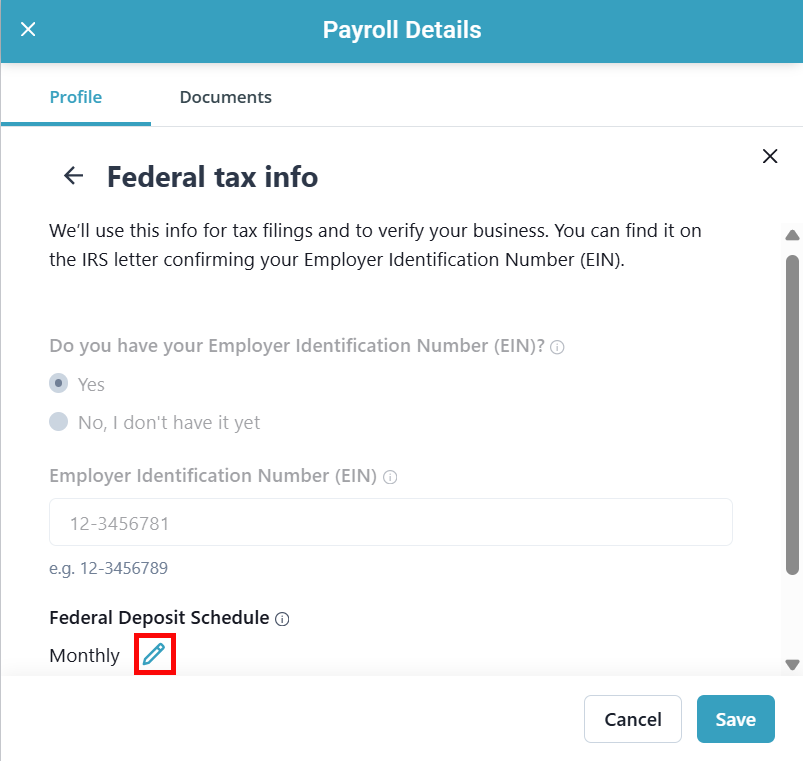
Scroll down and select the pencil icon next to Federal Deposit Schedule or Deposit Frequency.
-
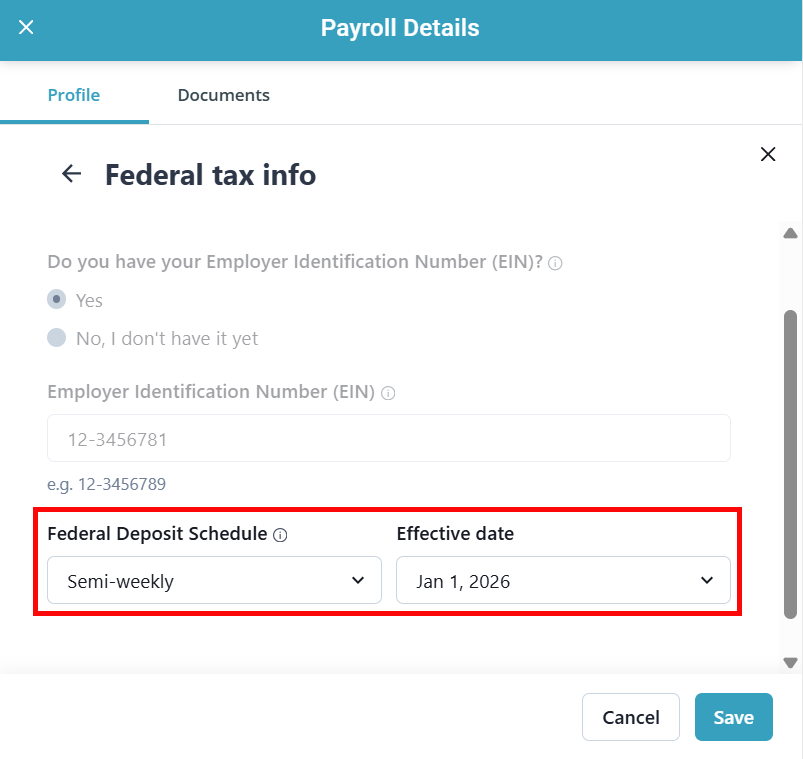
Select the new Federal Deposit Schedule or Deposit Frequency and select the future Effective date (Typically January 1).
-
Click Save.
Employers are responsible for knowing their assigned deposit schedule and keeping their payroll account up to date to ensure timely payments and filings.
Some state tax agencies mail employers paper copies of quarterly and year end forms. Pavillio files most payroll returns electronically. If you are unsure if the paper form is supported through Pavillio Payroll,
Other Resources