Add Care Delivery
Care Delivery is an umbrella term for Care Plans, Support Plan Addendums (SPA), etc.
To add a Care Delivery:
- Go to Clients > Current Clients and find the Client record.
- Go to the Care tab.
- Go to the Care Period section of the page and make sure you have a Care Period for the Client.
-
In the Actions column, click the Care Delivery icon for the applicable care period.

-
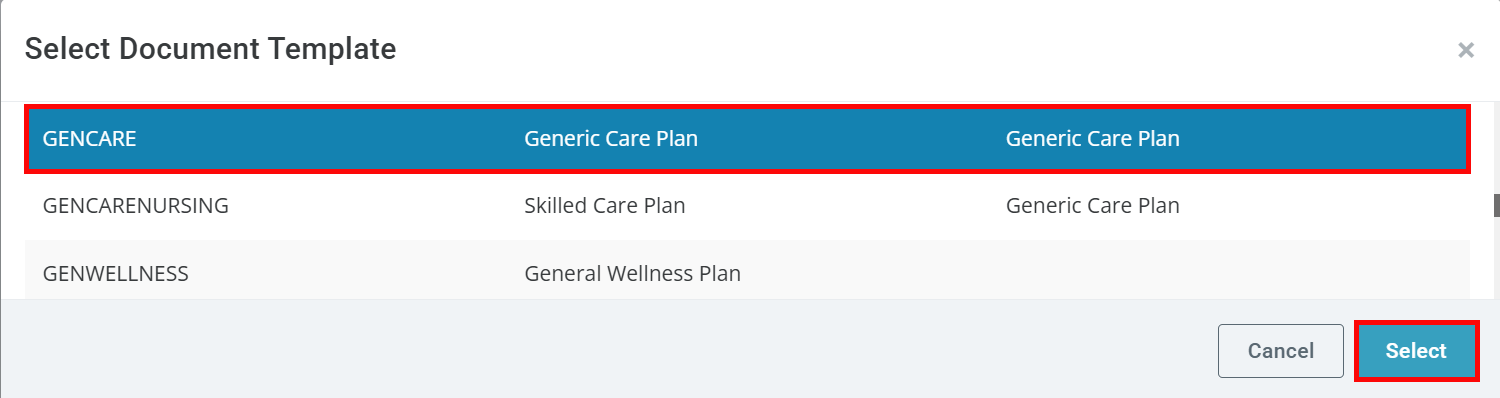
The Select Document Template window opens. Choose a document by clicking on it, and then click the Select button.
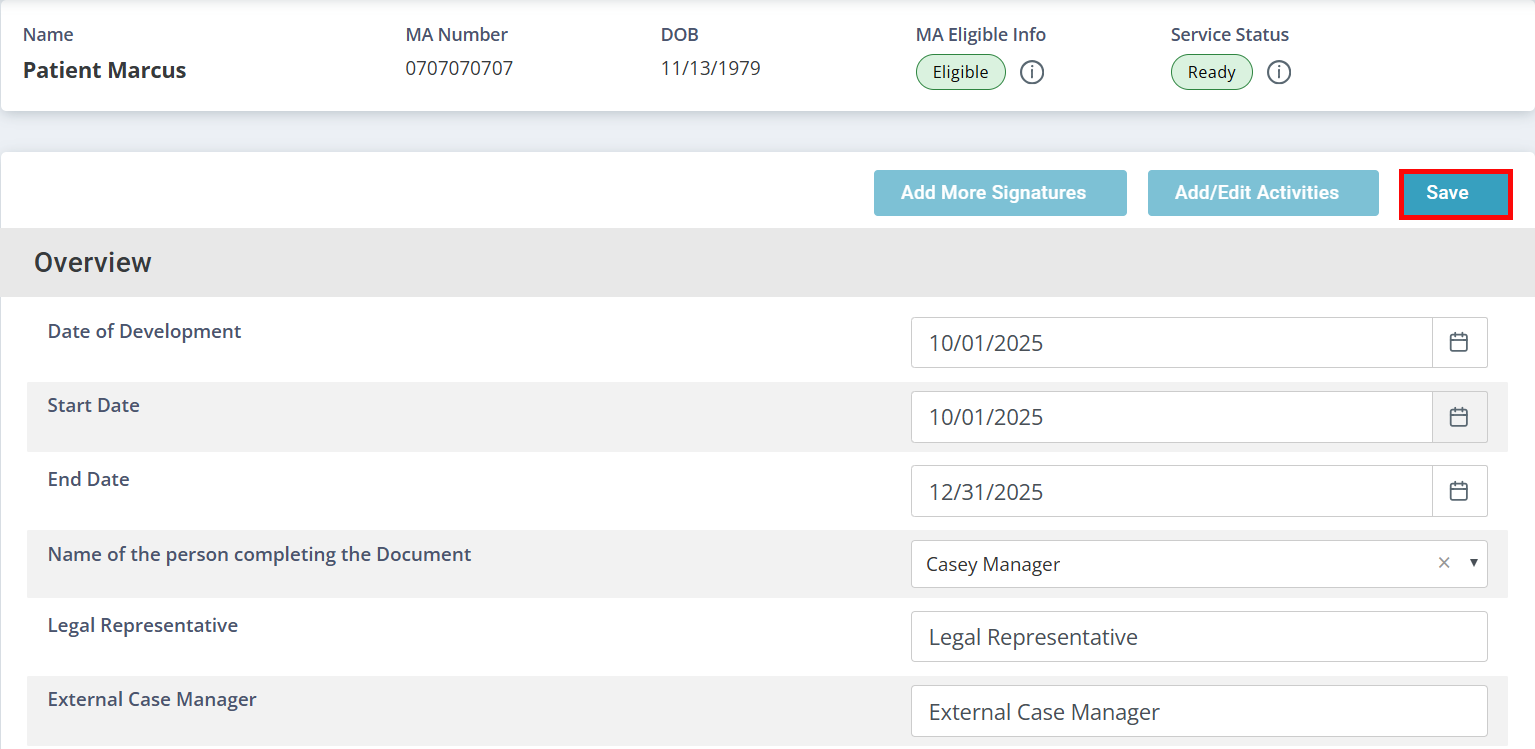
- The Add Care Delivery page opens, displaying the Care Delivery form. Complete the form and click Save.
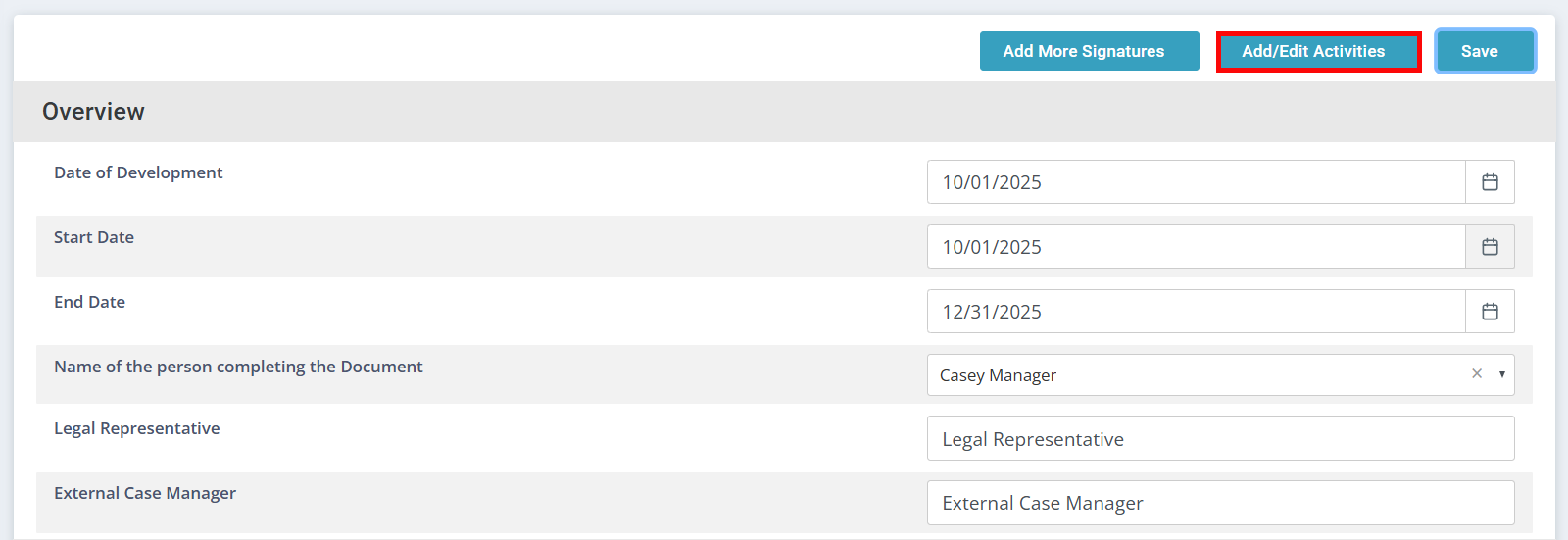
- Click the Add/Edit Activities button to add ADL/IADLs.
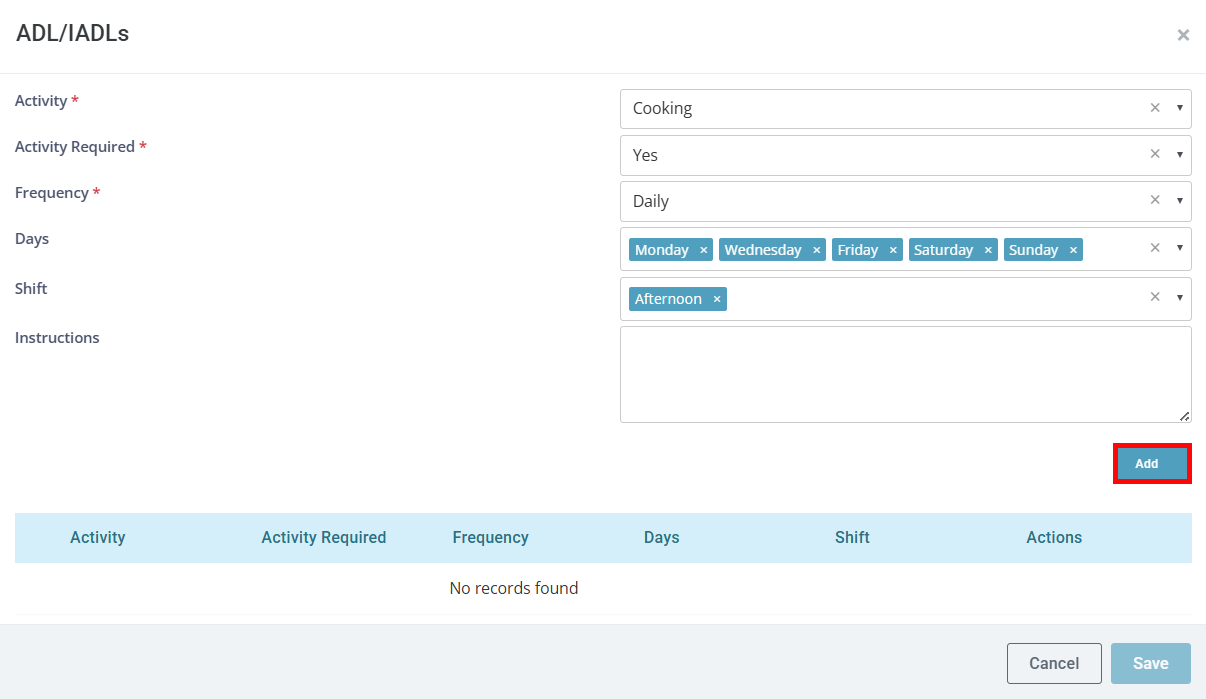
- The ADL/IADLs window opens. Select the Activity, whether it is Required, and a Frequency of Daily or As Needed. When an Activity is marked as Required, the Caregiver must record whether the Activity was completed. If it was not performed, they are required to provide a reason.
- If needed, select the Days and Shift(s) (i.e. time(s) of day) the activities should be performed. When Days and/or Shifts are selected, the corresponding Activities will display for the Caregiver only during those times.
If any activity is assigned to a particular Shift, all activities must be assigned to Shifts.
The Shifts feature is activated by Pavillio System Administration. Contact the Pavillio Support Team for details, setup, and guidance.
- Add any necessary instructions and click the Add button.
- Continue adding activities as needed. When finished, click Save.
Other Resources