Private Pay Invoicing
Invoices are generated at the frequency established in the Service Agreement. After time is approved, all records go into Financials > Invoicing > Private Pay, where they are divided into 6 cards: Failed, Ready, Approved, Invoiced, Final, and Write Off.
If you are set up for Private Pay, an email with a payment link is sent to the Billing Contact when the invoice generates.
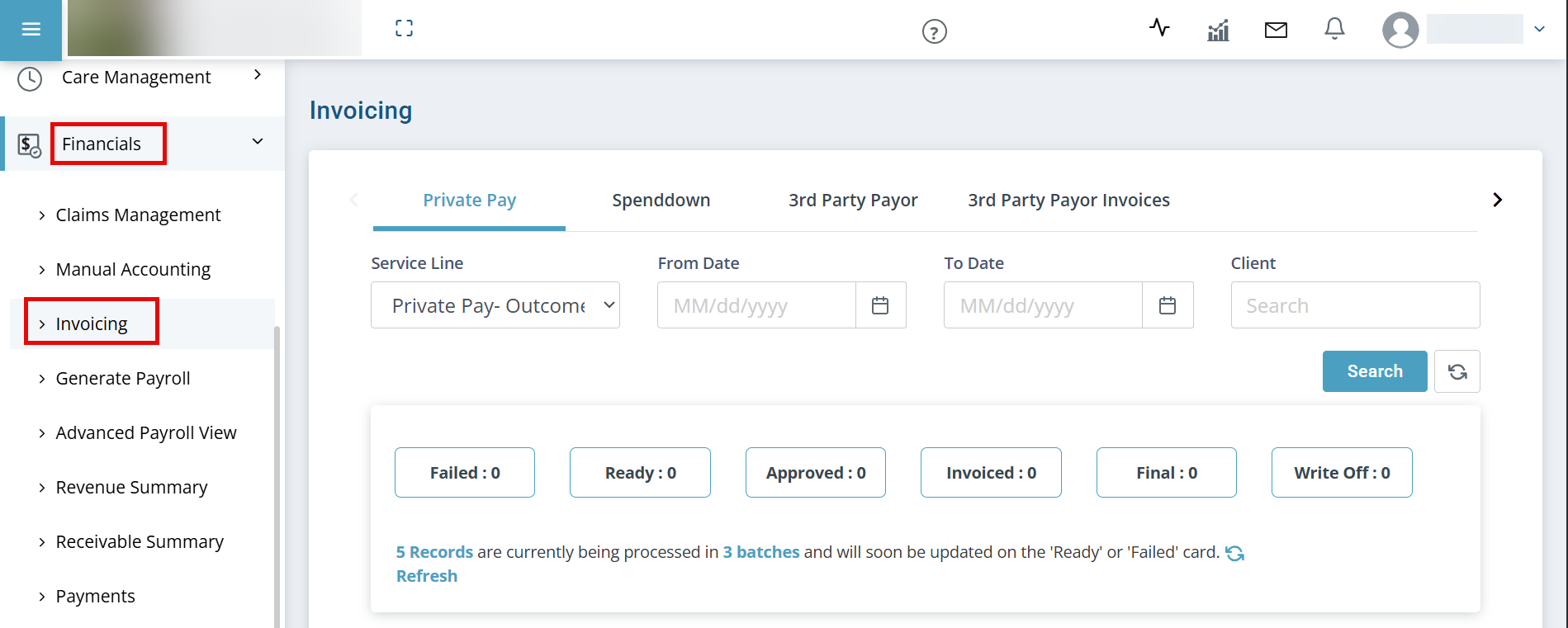
-
Review Failed records.
-
Post Ready records to the Client account. The records move to the Approved card.
-
Records stay Approved until the invoice generates according to the frequency settings from invoicing details: once a week, once a month, or once every two weeks.
-
Review generated invoices under the Invoiced card.
-
New: A new invoice.
-
Transferred: The balance of this old invoice has been transferred onto the new invoice.
-
Click the Ellipsis under the Actions column to:
-
Add Notes.
-
View Client and Service Agreement details.
-
View Invoice.
-
Download Invoice.
-
Post Payment.
-
Write off an Invoice.
-
Pay Using Credit Card
-
-
-
Once payment is posted, the invoice moves to Final card.