View an Employee's Pay Stub History
Employers can view Employees' previous pay stubs that have been processed through
Employers will not be able to see any pay stubs for historical payments that have been processed outside of Pavillio and imported during implementation.
To view a worker's pay stub:
-
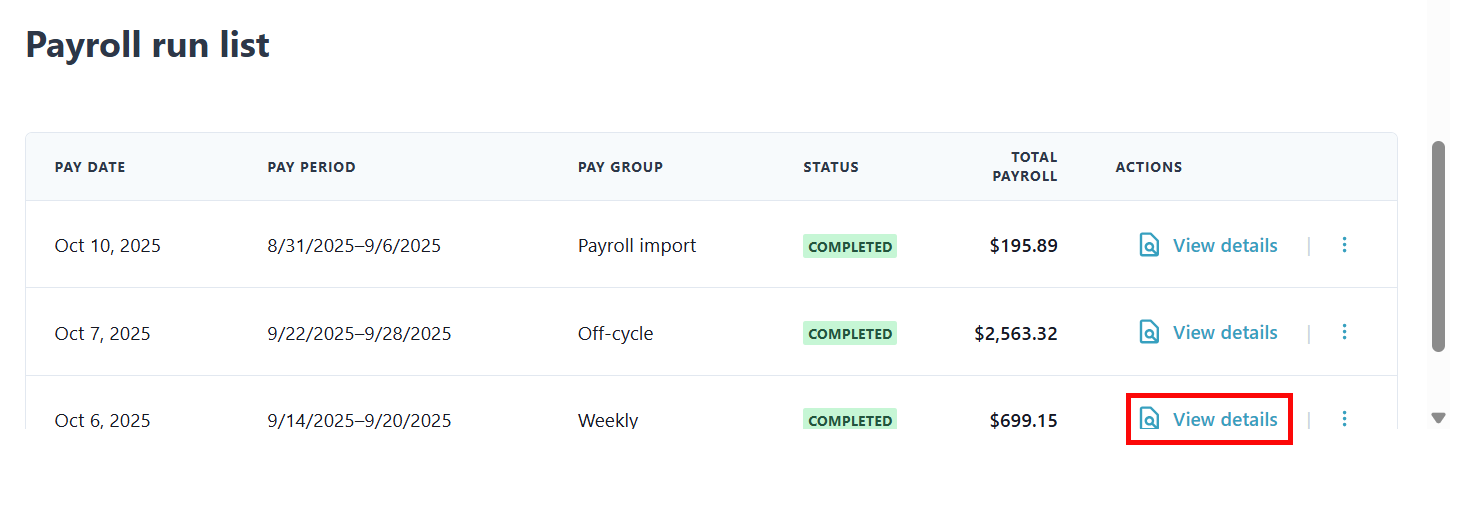
Go to Financials > Generate Payroll > Run Payroll and scroll down to the Payroll run list section. Click on View details for the payroll run you would like to view.
-
Click View details on the row of the Employee you want to view.

-
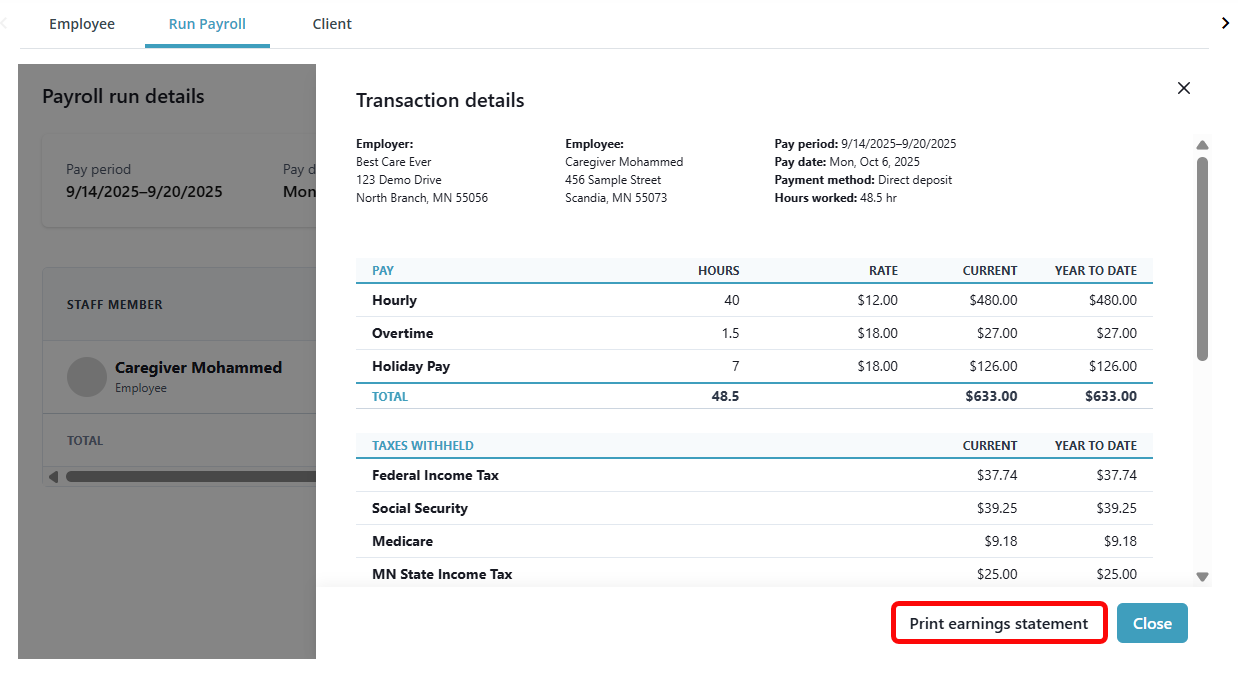
The Transaction details panel opens and displays the worker's pay stub. You can download a PDF copy by clicking the Print earnings statement button.