Set Specific Tax Withholding Amounts for Employee Federal Income Tax Deductions
Sometimes employees will want to set up a specific federal income tax withholding amount to be deducted from each pay check, rather than using the standard W4 calculations. Sometimes this amount will be higher than the standard calculated withholding amount, sometimes this amount will be lower than the standard calculated withholding amount. In either case, it will be up to you or the employee to properly set up their tax withholding settings in the system to ensure the right amount is deducted each payroll.
See the steps below on how to set up the specific withholding tax amount, depending on if the target withholding tax amount is more or less than the current withholding tax amount.

Complete the following steps to find the current federal income tax withholding amount:
-
Create a test payroll in your payroll account using the expected wages and tax setup information for the impacted employee(s), but do not submit the payroll.
-
In Step 2 of the payroll process (Review and submit), click View details under the ACTIONS column to view the drafted pay stub for the employee.

-
Find the federal withholding tax amount based on the employee’s current wages and tax setup details.
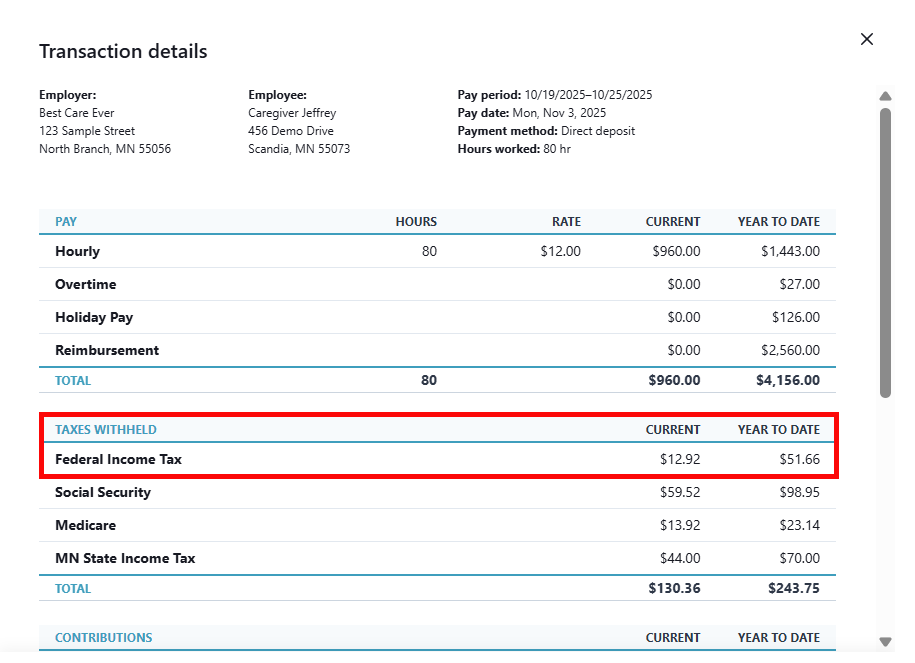
Make sure to take note of this amount for future reference.
-
Exit out of the payroll run by clicking the X in the top right corner.
-
Delete the test payroll by clicking Delete next to the pending test payroll in your dashboard.
If the requested/target tax amount is more than the current calculated tax amount, follow the steps listed below to set this up in the employee profile:
-
Find the difference between the target withholding tax amount and the current withholding tax amount:
Target tax amount - current tax amount = difference
-
Go to the Payroll Tab on the Employee's Profile and click the Access Payroll Details button.
-
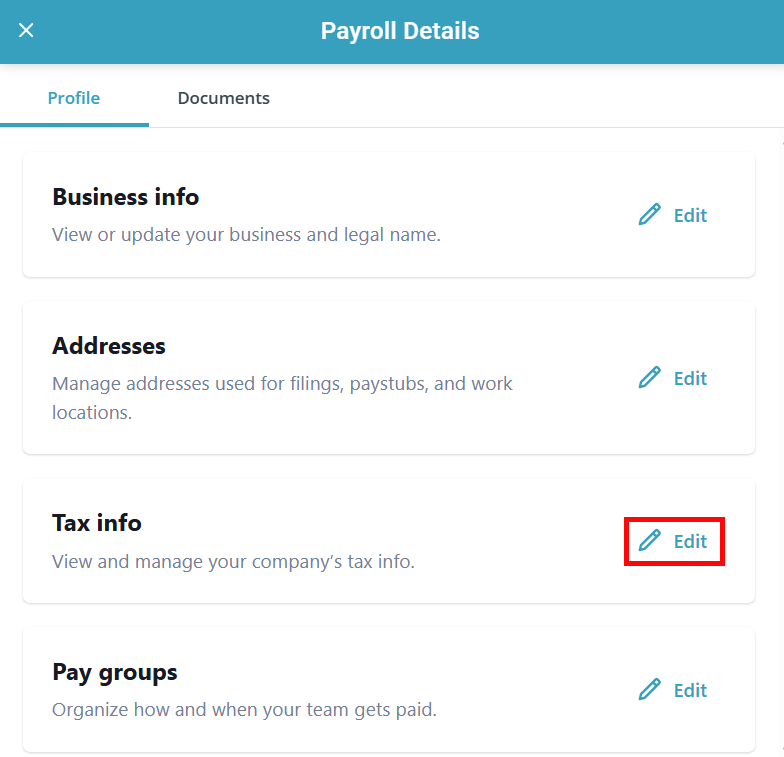
The Payroll Details panel opens. Click Edit on the Tax info section.
-
In the Federal tax info section, add the difference amount to the Extra withholding field.
-
Click Save.
If the requested/target tax amount is less than the current calculated tax amount,