Migrate Your Payroll from ADP
We’re excited to be your new payroll provider! Since you’ve already paid employees earlier this year through another provider, we’ll need some details from your previous payroll records. Importing this information helps ensure that all tax payments and reports stay accurate.
For both active and terminated workers, this allows us to:
-
File quarterly and annual reports with state and federal payroll tax agencies for W2 Employees.
-
Correctly calculate employee taxes based on YTD totals for W2 Employees.
-
Issue W2s in January for W2 Employees.
-
Issue 1099s in January for 1099 Contractors.

-
Keep your previous payroll provider account active while the payroll data is being transferred into our system.
-
Do not stop running payroll with them until we tell you to stop.
-
Do not close the account after you stop running payroll until we tell you it's okay to close it.
-
You can download more payroll reports if the first batch you submitted are incomplete or are the wrong reports.
-
You can run additional payrolls if necessary.
-
You can confirm the treatment of unpaid payroll tax liabilities.
There are two ways to provide us with your payroll data:
-
Add
-
Download a report from your payroll provider and attach it to a
Instructions for both options are included below.
-
Log into ADP Run (ensure you’re logging in as the account owner).
-
Click Settings from the vertical menu on the left side.
-
Click Company.
-
Click add user on the bottom corner.
-
Add the new user as follows:
-
First name: Payroll
-
Last name: Admin
-
Role: Payroll Admin
-
Email:
-
-
Save the user profile.
As part of your payroll migration, you’ll need to download a series of payroll reports from your current provider. These reports contain the historical payroll data needed to accurately transfer wages, taxes, deductions, and contributions into your new payroll system. Each provider may use different report names and layouts, so don’t worry if the format looks slightly different from the examples provided.
The reports should include every worker who was paid during the current calendar year, including terminated employees and contractors. For each worker, make sure the reports show wages by type (such as hourly, salary, or commission), along with both employee and employer taxes broken down by type at the federal and state levels. The reports should also include all deductions and employer contributions, listed by category. This ensures your payroll history is migrated completely and your year-to-date tax reporting remains accurate.
|
Current Quarter |
Prior Quarters |
|---|---|
|
|
-
Sign in to ADP Run.
-
Go to Reports at the left side of the page.
-
Go to Run Single Reports.
-
Choose Payroll Reports.
-
Select the Payroll Details report.
-
Set the From and To fields to the SAME date to capture the data for that individual payroll run.
-
Select employee set to All.
-
Click View report and then Download and choose Download as Excel-New.
-
-
Repeat Step 5 for each individual payroll from the current quarter.
-
Attach the report to a
-
See the Steps for Running Prior Quarter Reports section below if you have processed payrolls in past quarters as well.
-
Sign in to ADP Run.
-
Go to Reports at the left side of the page.
-
Go to Run Single Reports.
-
Choose Payroll Reports.
-
Select the Payroll Details report.
-
Set the From field to the first payroll date of Q1 and the To field to the last payroll date of Q1 to capture the data for all of Q1.
-
Select employee set to All.
-
Click View report and then Download and choose Download as Excel-New.
-
-
Repeat Step 5 for each past quarter of the current year.
-
Save this report.
-
Open a
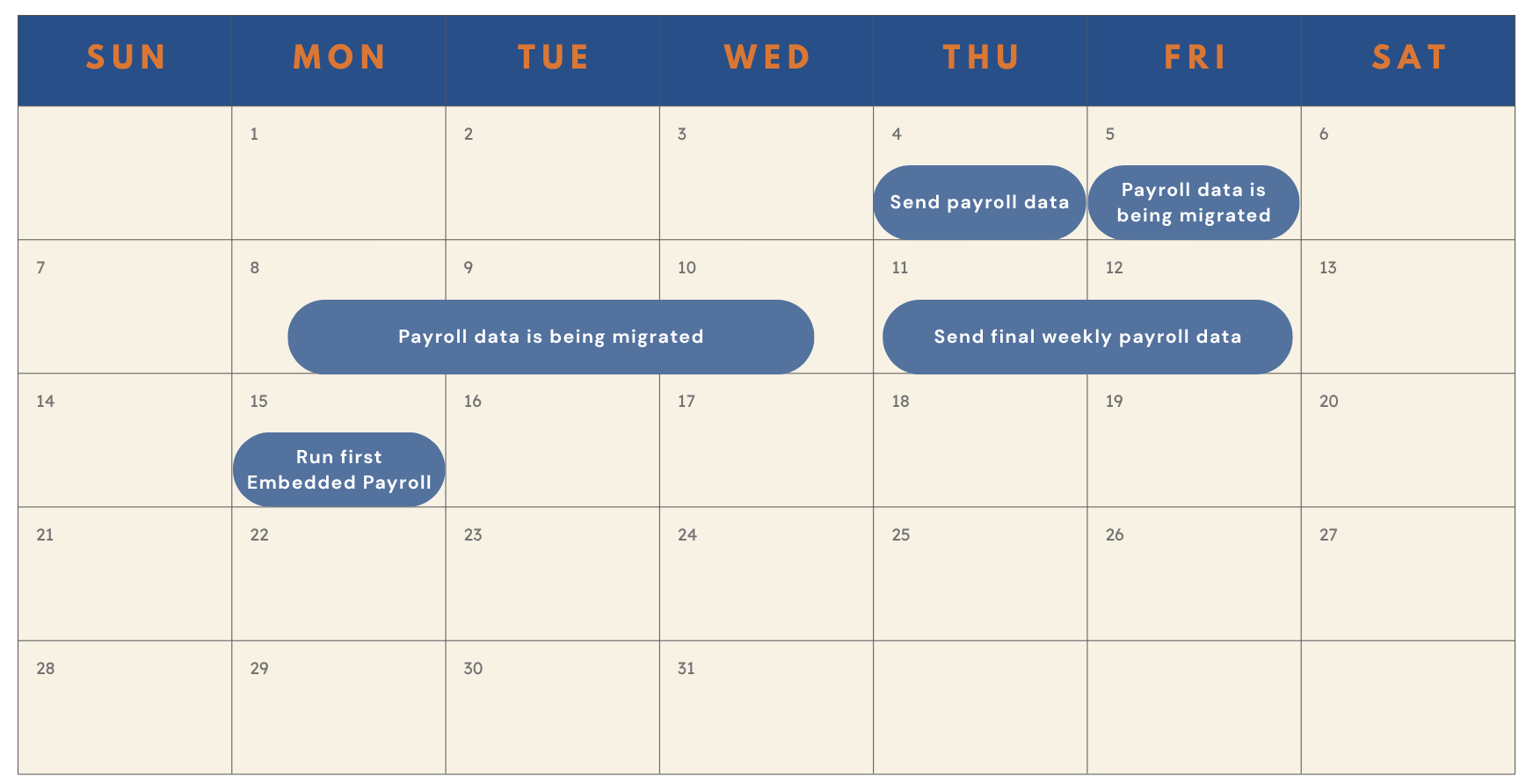
For employers who have a weekly pay group:
-
Submit Initial Data: Send us all the data you have accumulated so far for the calendar year. This enables us to start the implementation process on our end.
-
Provide Final Payroll Run Data: Share the data from the final weekly payroll run with us.
Example Timeline:
Let’s say you run payroll every Monday for a Friday check date. Send us all payroll information except for the current week’s payroll so we can start the migration process. After you run your final payroll, send us the payroll journal by Friday. This allows us to finish migrating your data so you’re ready to run your first payroll the following week.