Taxes and Filings Handled by Pavillio Payroll
As your payroll provider, we will handle the filing and payments of most payroll taxes to the respective tax agency on your behalf.
In order to trigger any withholding and filings, you must:
-
Have wages in that state/locality. If no wages are paid during the quarter, the system will not automatically file a zero-wage report for the employer.
-
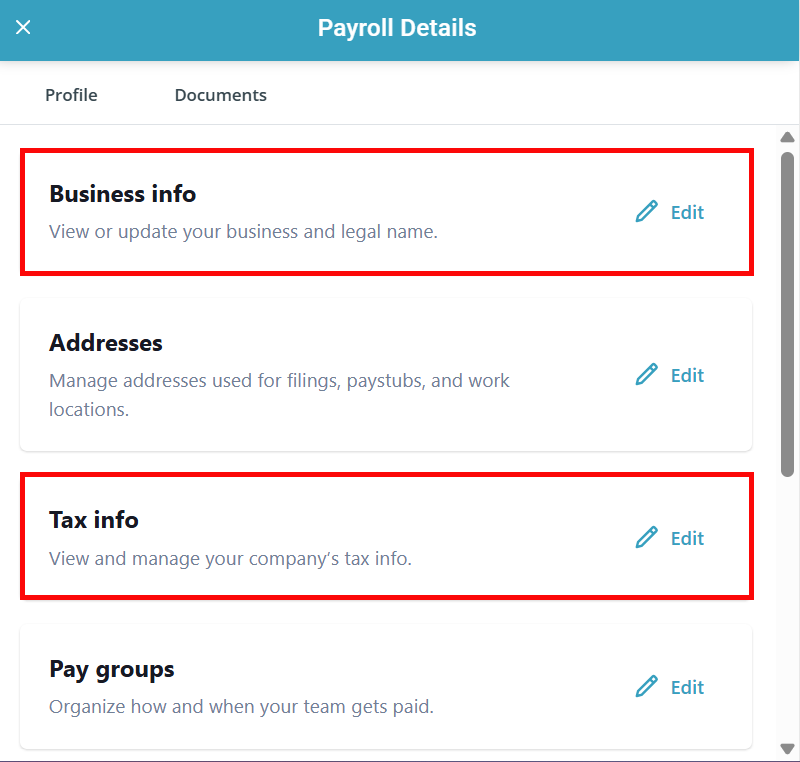
Have tax account IDs and tax rates input into the Tax Info section under
We use the information entered into your Business Info and Tax Info sections of your Payroll Details panel (legal business name, tax ID numbers, state tax rates, and the quarterly earnings for workers) to complete filing forms and file them with the respective tax agencies.
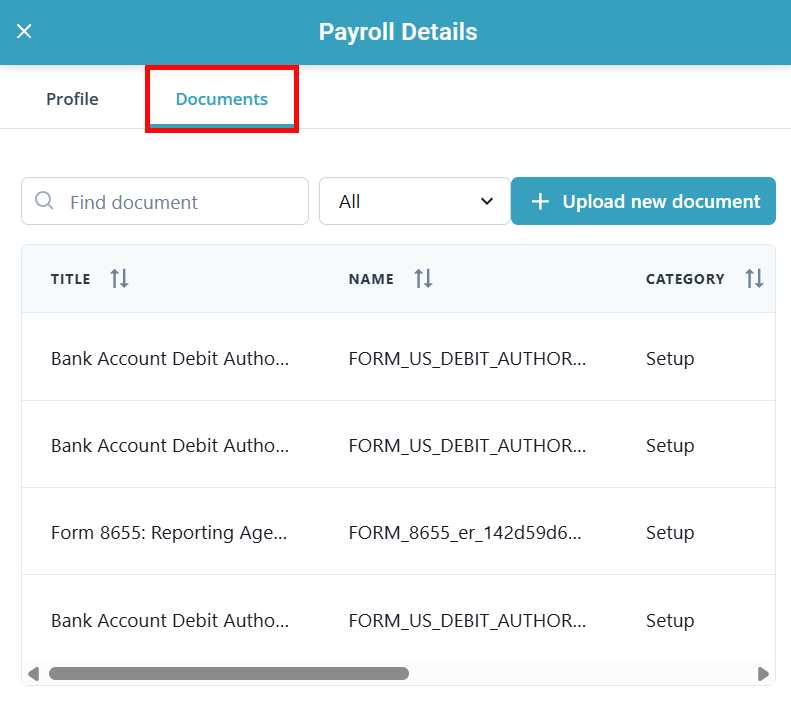
Completed filing packages can be viewed and downloaded by clicking on the Documents tab in the Payroll Details panel.

Below is a list of federal, state, and local taxes that we file and pay on an employer's behalf to the respective agency directly:
IRS (Federal Filings)
-
Employer's Quarterly Federal Tax Return (941)
-
Employer's Annual Federal Tax Return (940)
Delaware (DE)
-
DE Income Tax
-
DE Unemployment Insurance Tax
-
DE Training Tax
-
-
DE Paid Family Leave
-
Various local taxes
-
City of Wilmington Earned Income Tax
-
Indiana (IN)
-
IN Income Tax
-
IN Unemployment Insurance Tax
-
Various local county taxes
Iowa (IA)
-
IA Income Tax
-
IA Unemployment Insurance Tax
Minnesota (MN)
-
MN Income Tax
-
MN Unemployment Insurance Tax
-
MN Workforce Enhancement
-
Wisconsin (WI)
-
WI Income Tax
-
WI Unemployment Insurance Tax