Set Up Pavillio Payroll
The Pavillio Payroll feature allows you to fulfill all of your payroll needs directly from within the Pavillio platform.
In order to perform payroll duties, you must first set up the Pavillio Payroll feature for your Agency.
To set up Pavillio Payroll:
-
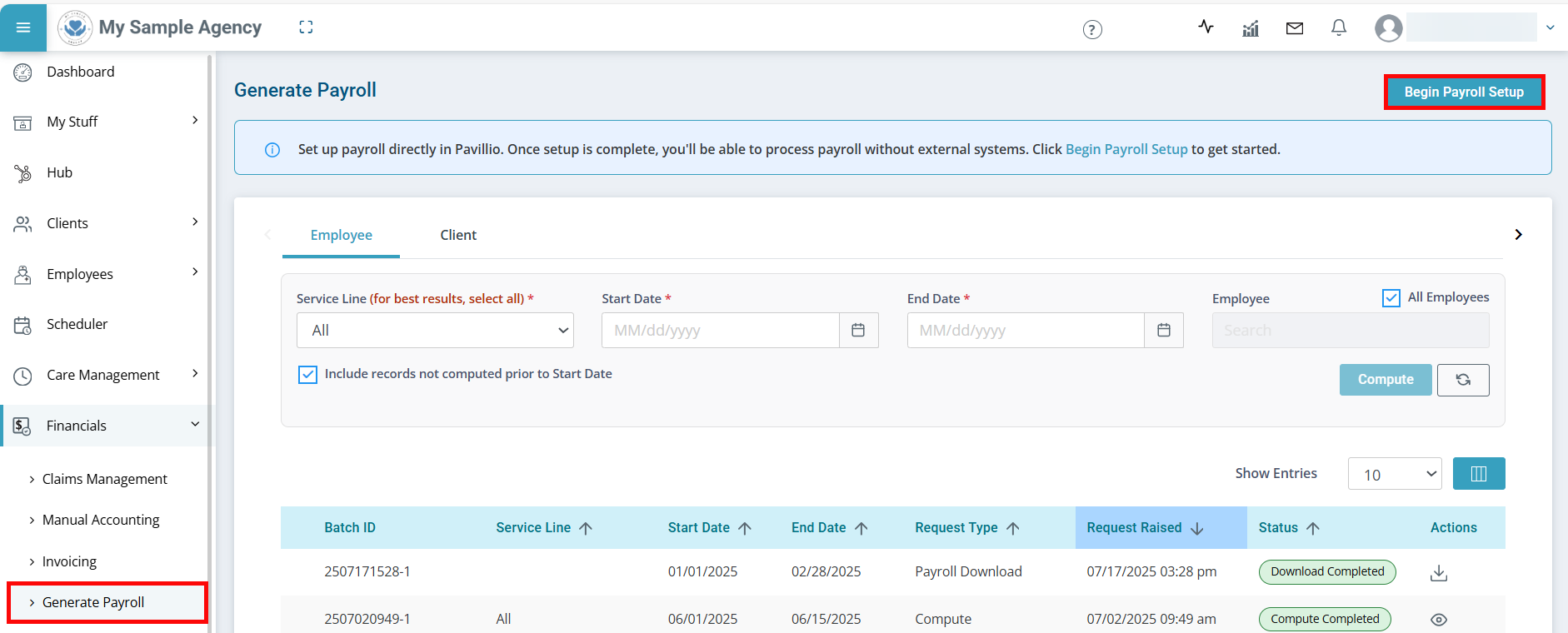
Go to Financials > Generate Payroll > Run Payroll and click the Begin Payroll Setup button.
-
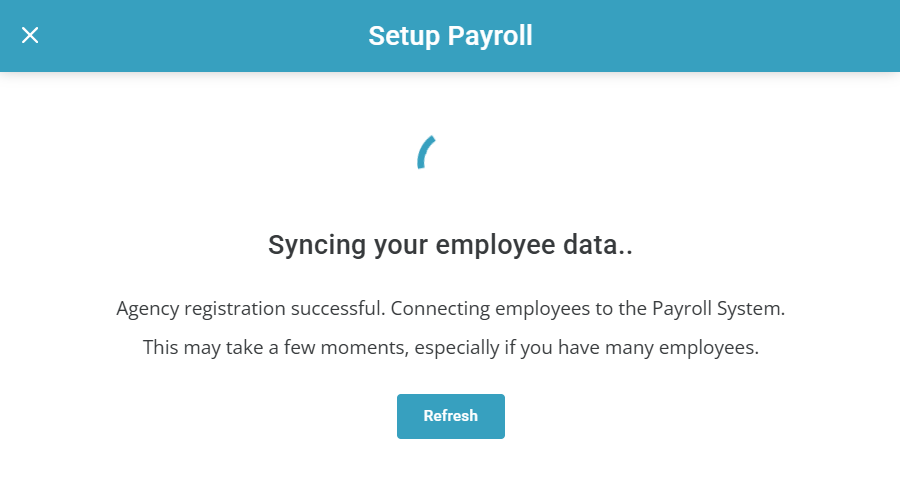
Pavillio begins syncing your Employee data. Depending on how many Employees you have, this may take a few moments.
-
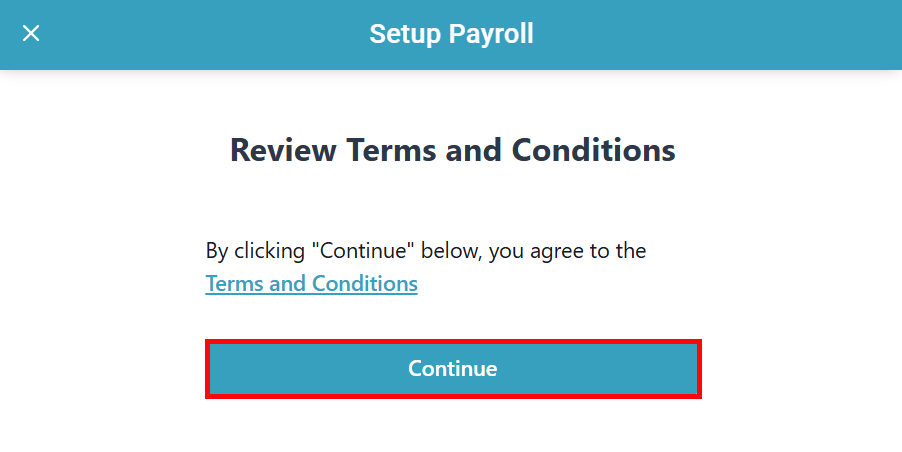
Review the Terms and Conditions and click Continue.
-
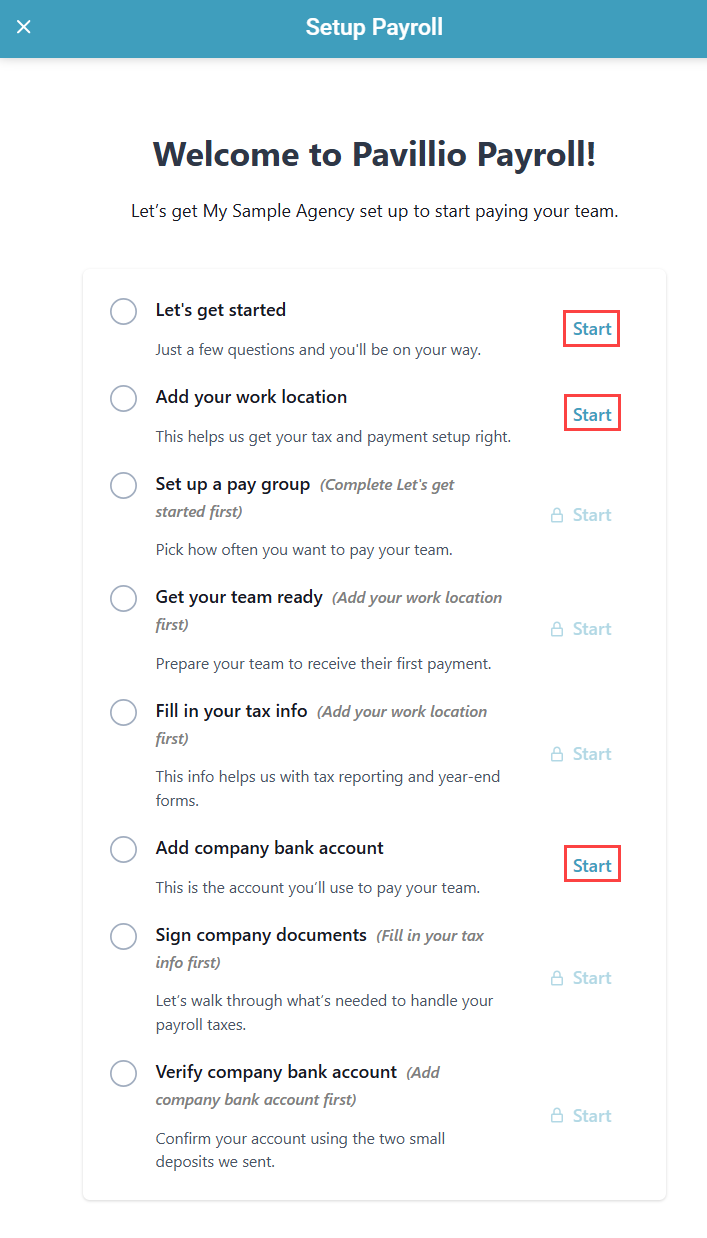
A side panel opens with a list of setup actions. Some actions unlock after other actions are completed. Click Start next to any available action and follow the workflow to complete the task.
-
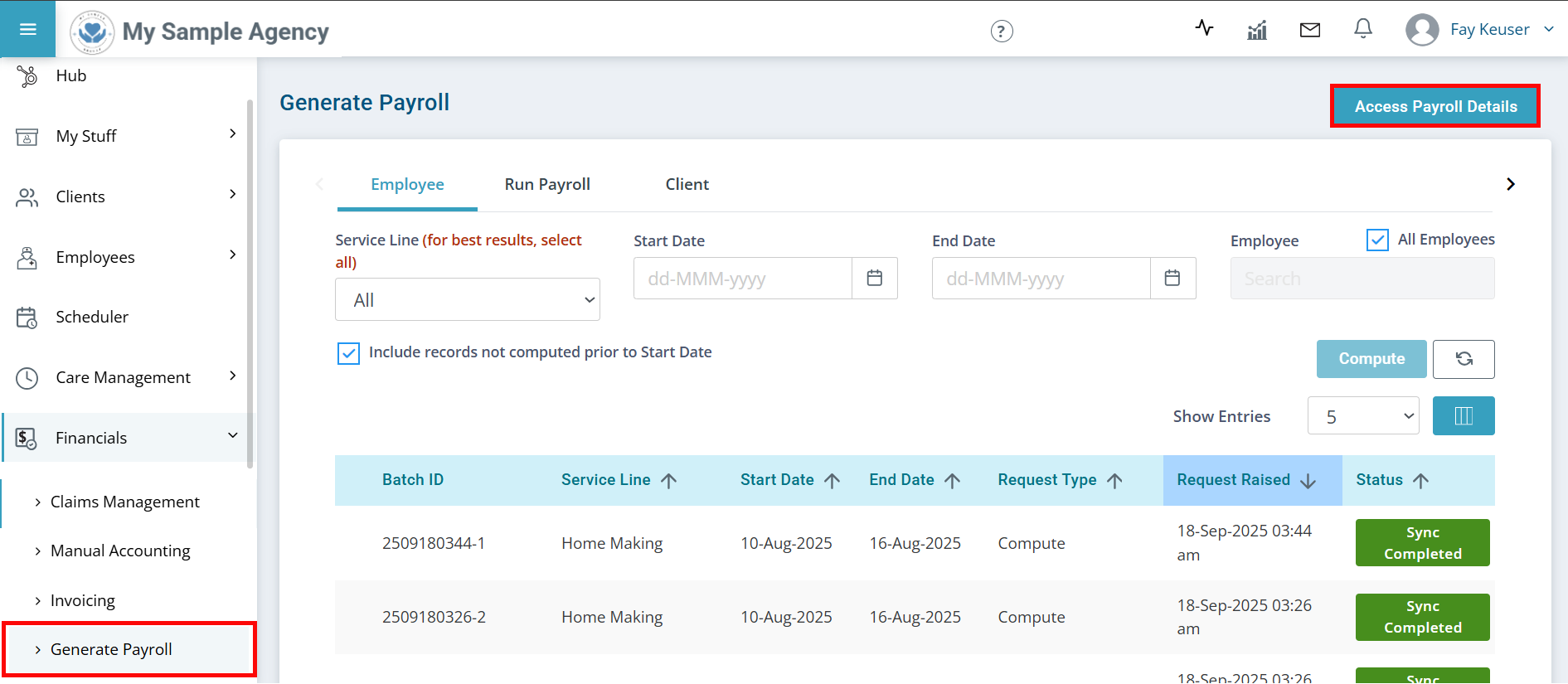
You can edit the information entered during setup at any time by going to Financials > Generate Payroll and click the Access Payroll Details button.