A worker's profile says that onboarding is not completed yet because contract overtime eligibility is missing.
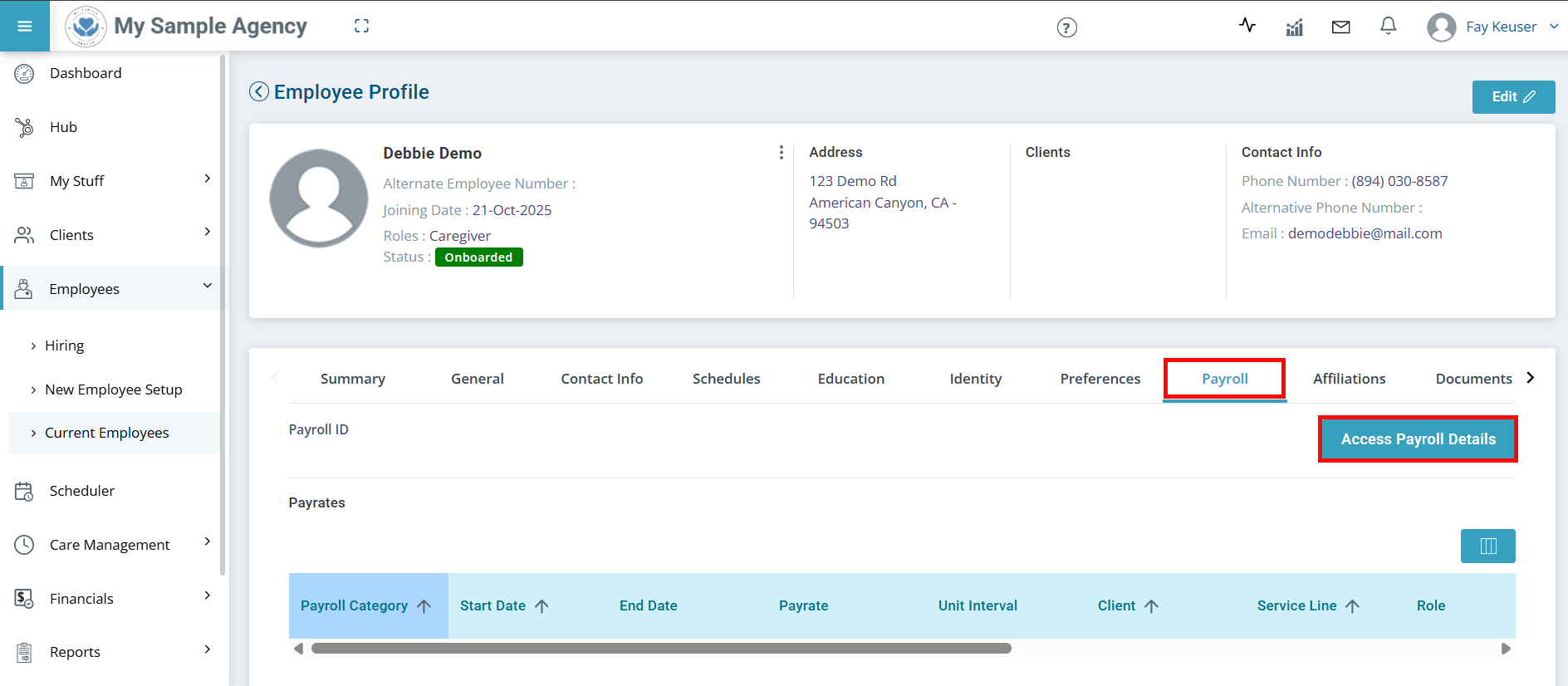
If a worker’s onboarding status shows as incomplete due to missing overtime eligibility, you need to update this setting in their contract details. Follow these steps to mark whether the worker is eligible for overtime.
-
-
-
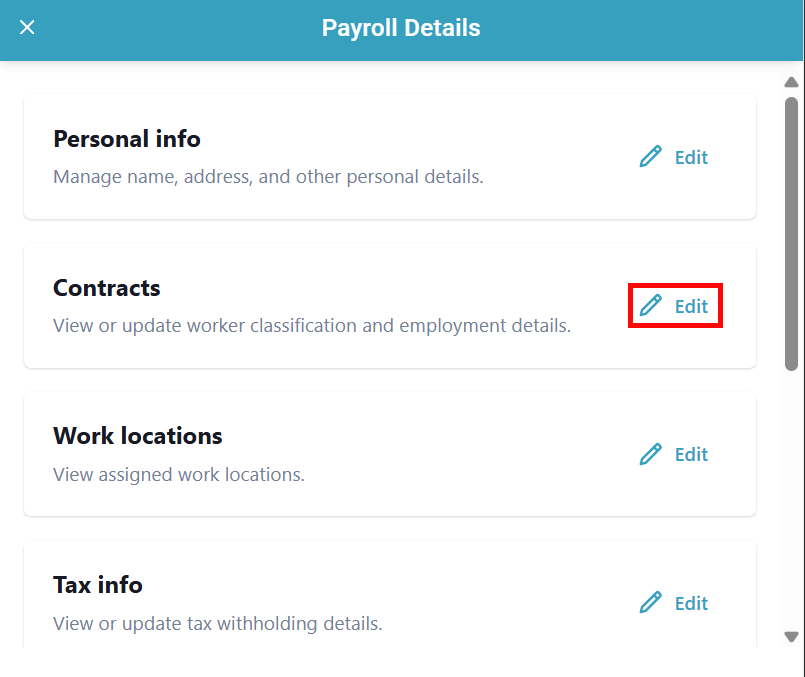
The Payroll Details panel opens. Find the Contracts section and click Edit.
-
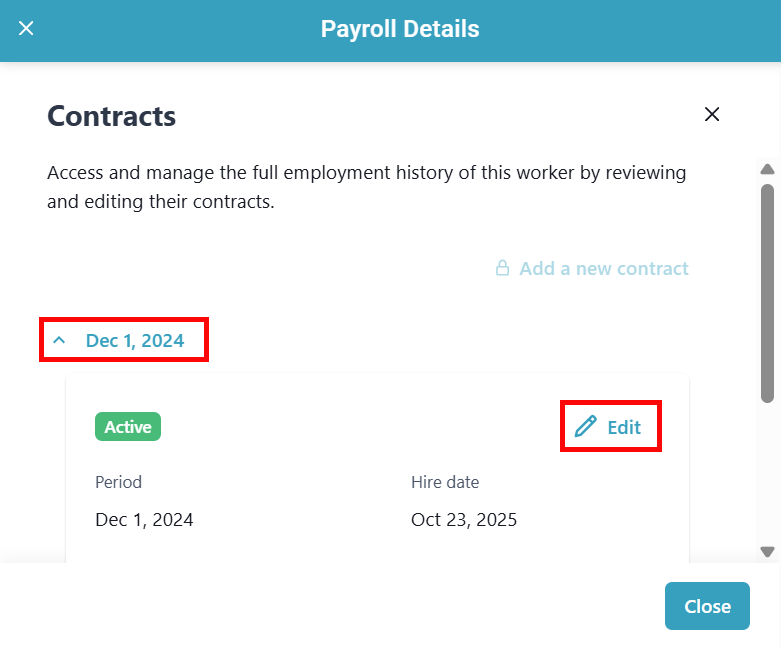
Click on the worker's contract and select Edit on their active contract.
-
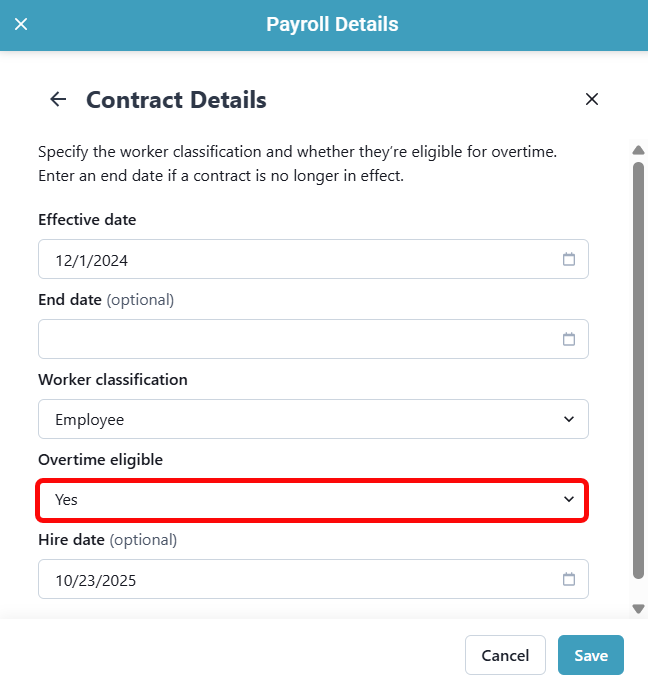
On the following screen, select Yes or No from the Overtime eligible dropdown.
-
Click Save.